
Google review link: how to get it, and where to put it
Copying the link takes a minute. Deciding where it lives, and what happens after someone taps it, is the part that changes how many reviews you get.
Lachlan Fea 8 min read
In this article7 sections

Your Google review link is the URL that opens the review box on your Business Profile with the star selector already showing. You copy it from your own profile, on a computer: Read Reviews, then Get more reviews, then Copy. That part takes a minute.
Once you've copied it, the real work is deciding where the link lives and what a customer has to do after they tap it. Two things break it most often, and neither is the URL: the customer has no Google account, or the profile you copied it from is not the listing people find.
How to get your Google review link
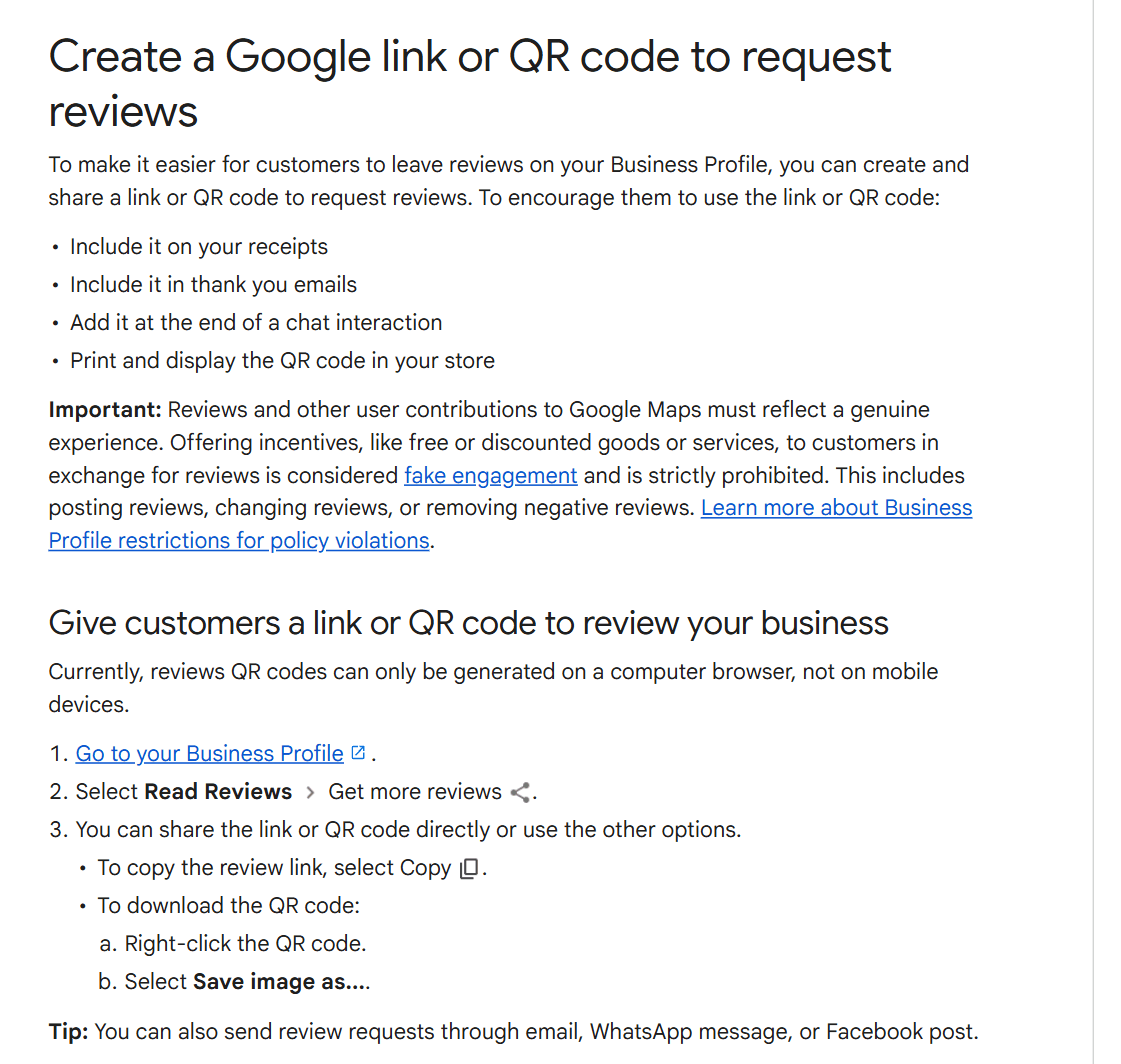
These are Google's own instructions, as they stand in September 2026:
- Go to your Business Profile. Signed in to the account that manages it, searching your own business name on Google is the quickest way there. If you cannot find the profile at all, how to see your Google reviews covers where it lives now.
- Select Read Reviews, then Get more reviews.
- To copy the review link, select Copy. To save the QR code, right-click it and select Save image as.
One catch trips people up. Google says reviews QR codes "can only be generated on a computer browser, not on mobile devices". Do this on a computer, not on a phone between appointments.
Then paste the link somewhere you will not lose it. A pinned message in the team chat works. So does the shared document where the rest of your marketing assets live. Most owners who come looking for this link have copied it before and cannot remember where it went.
Building the link from a Place ID
You can also build the URL yourself. Every place on Google Maps has a Place ID, which Google defines as "a textual identifier that uniquely identifies a place". Look yours up in Google's Place ID finder, put it after https://search.google.com/local/writereview?placeid=, and you get the same review box.
It deserves an honest label, because most articles give it none. Google does not document that URL. The Place ID finder sits in the Maps Platform developer documentation, which is written for people building apps, and no Business Profile help page tells a business owner to construct a review link this way. It works today. It is not a supported feature, so it can change without a deprecation notice. Google also warns on that same page that "Place IDs may change over time".
Volume is the one case where it earns its keep. If you are building links for forty locations and the Place IDs are already sitting in a spreadsheet, generating the URLs beats clicking through forty profiles. For a single business, copy the link Google hands you.
Short links, QR codes and the g.page name you cannot get any more
The link Google gives you is fine in a text message, where nobody reads the URL. It is ugly on a printed docket, which is why businesses go looking for something shorter.
Custom short names used to be the answer. A business could claim a name and hand out g.page/yourbusinessname. Google's help page on short names now says you can no longer create or edit short names, and that the ones that already exist "will still work but will no longer be shown on the Business Profile to customers". A short name already painted on a window keeps working. You cannot get a new one.
Third-party shorteners are the usual substitute. They work, with two things worth knowing before you print five thousand of anything. A shortened link hides where it goes, which costs you some trust in an SMS. And a free shortener account can lapse and take the link with it. If you shorten, use a domain a customer will recognise as yours.
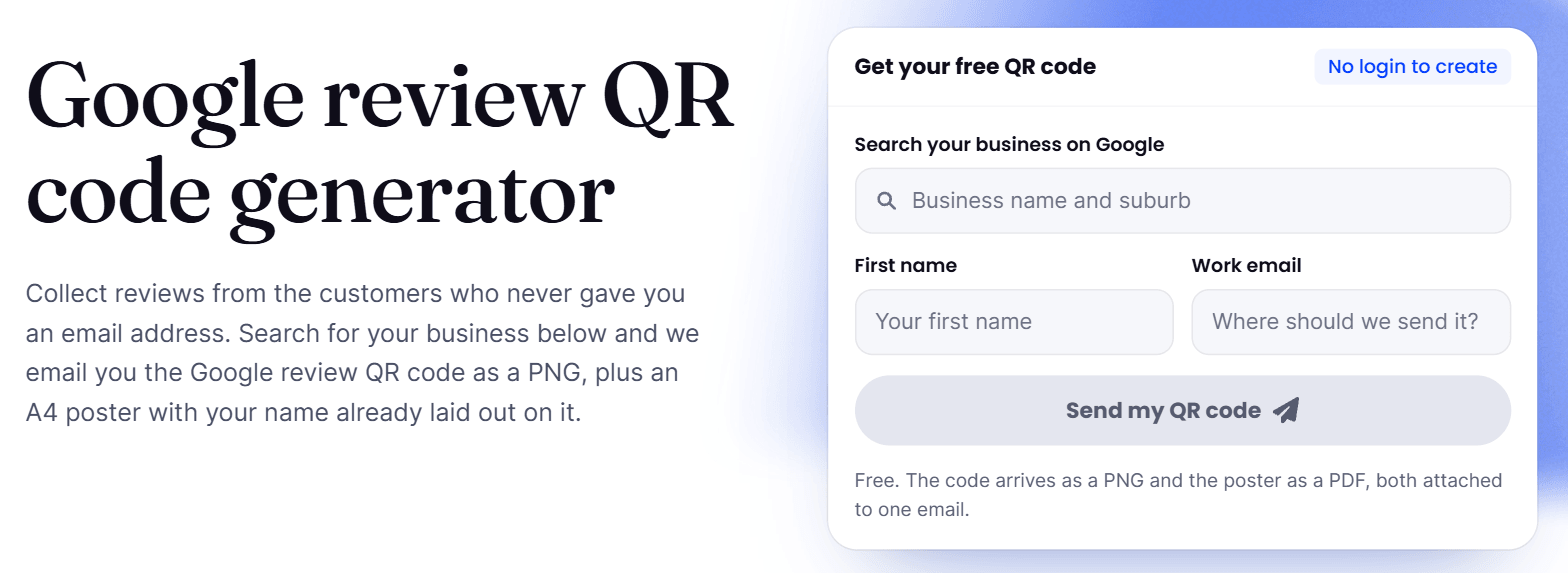
For anything physical, a QR code sidesteps the problem. Google's panel gives you one, and there is a Google review QR code generator here if you want a printable poster in the next five minutes. Either way, test the code at the size it will be printed, from where a customer will be standing, before you order the run.
Where to put your Google review link
Google names four places on the same help page: on your receipts, in your thank you emails, at the end of a chat interaction, and printed and displayed in your store. That is a fair start, and it leaves out the one that does the most work. Trades put it on the van and the invoice, which getting reviews for home services goes through, and a site can carry the reviews themselves, as in adding Google reviews to Wix.
| Where | Why it works | What to watch |
|---|---|---|
| A text message after the job | It arrives on the device the review gets written on | One message, one link, no preamble |
| Your email signature | Costs nothing and runs on every thread you already have | It is passive, so treat it as a bonus rather than the ask |
| The invoice or the receipt | The customer is already looking at it, and it dates the ask to the job | Print the QR code, not the URL |
| A card at the counter or on the desk | Catches the customer who never opens a message | Somebody has to actually hand it over |
| Your website's thank-you or confirmation page | Reaches people mid-transaction with no extra send | Only meaningful if the job is genuinely done at that point |
The text message and the QR code cover for each other. The message reaches the customer who has already left; the code catches the one who never opens anything from a business.
Timing beats placement anyway. The same link sent an hour after a haircut and a fortnight after a haircut are two different messages. If sending them by hand is the bottleneck, that is what review campaigns do: a repeat customer is one contact asked once, a second booking moves the ask rather than adding one, and anyone who reviewed you in the last 90 days is skipped. For the wording that goes around the link, there are copyable review request templates for SMS and email.
The link is an invitation, not a gate
Send the link to everyone you served. Not the happy ones. Not the customers you have a good feeling about.
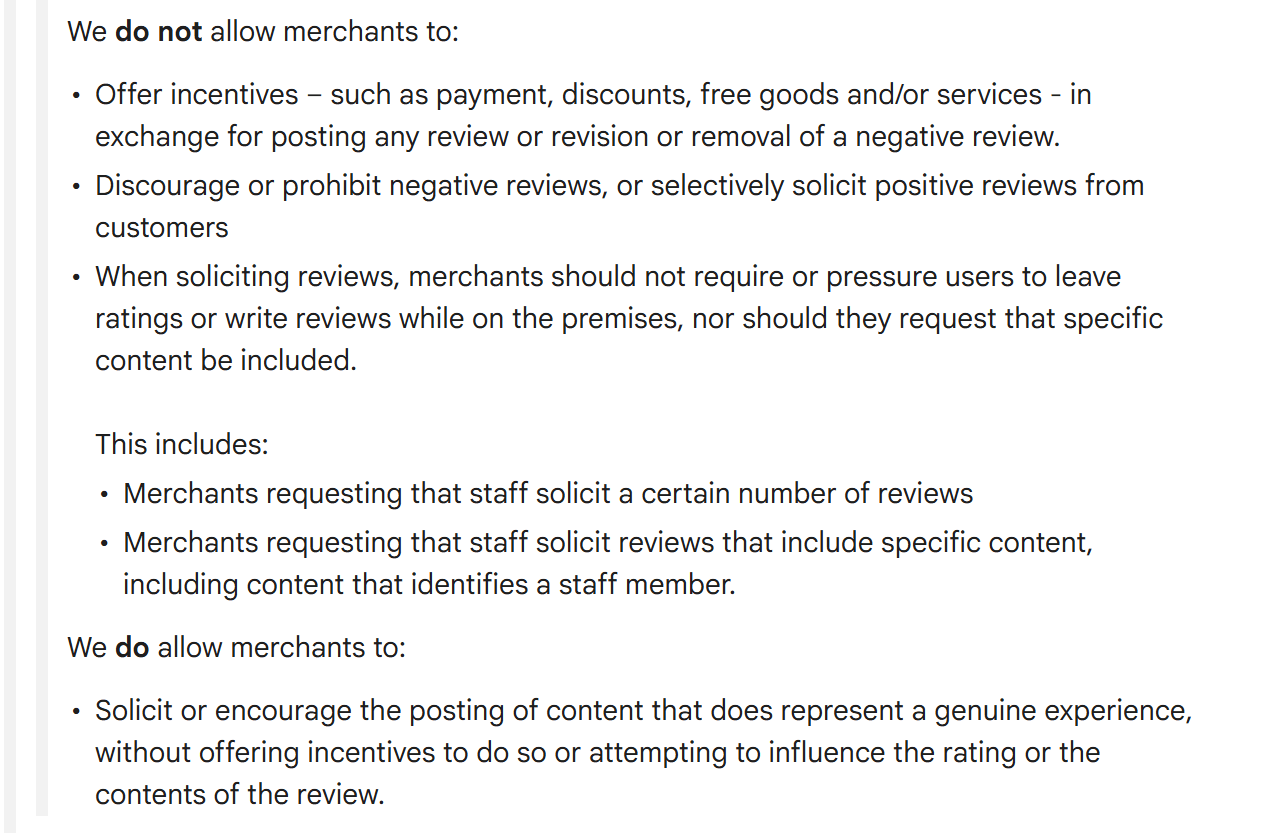
Google's Maps user generated content policy files the alternative under rating manipulation. Merchants must not "Discourage or prohibit negative reviews, or selectively solicit positive reviews from customers". Filtering who gets the link is exactly that, whether you do the filtering by hand or with software that asks for a star rating first.
The same list bans paying for the outcome. Merchants must not "Offer incentives ... in exchange for posting any review or revision or removal of a negative review". In the United States that is law as well as policy: the Federal Trade Commission's rule on consumer reviews and testimonials (16 CFR Part 465, announced 14 August 2024) bans compensation or incentives conditioned on a review expressing a particular sentiment, and lets the FTC seek civil penalties against violators.
One more line in that list governs both the counter card and the staff leaderboard. Google says that when soliciting reviews, "merchants should not require or pressure users to leave ratings or write reviews while on the premises, nor should they request that specific content be included", and it spells out that this covers asking staff to bring in a set number of reviews, or asking staff to solicit reviews that name them. So leave the card on the counter. Do not stand over anybody while they write, do not tell them what to say, and do not set your team a monthly review target.
What Google does allow it puts plainly: merchants may "Solicit or encourage the posting of content that does represent a genuine experience, without offering incentives to do so or attempting to influence the rating or the contents of the review". Asking is fine. Asking selectively is not. How to get 5-star Google reviews without breaking the rules has more on where that line sits.
What your customer has to do on their side
A Google review needs a Google account. Google is explicit: "Customers must be signed into a Google Account to leave a review. They can set one up with a non-Gmail email address." There is no anonymous review on Google. A willing customer who has never had an account faces a sign-up before they can help you, and a fair share of them stop there. That accounts for more silent failures than any broken link.
When someone taps your link they get the review box on your listing: a star selector, a text field and a Post button. Nothing is filled in for them, and nothing is filtered on the way through. A review with a sentence or two of text tells the next reader more than a bare five stars does, so it is fine to say what you would find useful, as long as you are not dictating it.
If a customer tells you they have no account and will not make one, take the answer. Point them somewhere else to leave feedback and move on. The review that never gets written costs you nothing. The customer you badger costs you more.
If you have more than one location
One Business Profile, one review link. There is no single link for a business with several sites, because the link points at a listing and every location has its own.
Open each profile in turn and repeat the copy step, then label them somewhere your team can read: location name, link, QR code file. The common failure is one link copied out of head office and pasted into every location's messages, which quietly parks every review on one listing and leaves the other profiles looking dead. If your sites are already asking in different ways with different links, how to get more Google reviews covers making the ask consistent across all of them.
When the Google review link does not work
It opens the wrong business
Almost always a duplicate or an unclaimed listing, which means you copied the link from a profile that is not the one customers find. Search your business name in an incognito window and see which listing Google shows. If two exist, that is a merge job before it is a link job.
The customer says they reviewed you and you cannot see it
The link is rarely the culprit. Reviews take time to appear, spam filters hold some back, and a recent profile merge or address change can hide a batch. Why a Google review is not showing up works through the causes in order.
The QR code will not scan
Usually size or contrast. As a rule of thumb, print it at least 2 cm square for something held in the hand, and considerably larger for a window or a counter where people stand back. Keep it dark on light, and leave the quiet border around it alone.
Nothing arrives at all
Before you blame the link, check that anyone is sending it. Tap your own link out of a real text message, on a real phone, and count the steps to a posted review. If the link is fine and the volume is still zero, the problem is the ask rather than the URL.
FAQ
Is there a Google review link generator? Google generates the link for you, inside your own Business Profile, at Read Reviews then Get more reviews. Third-party generators almost all build the Place ID URL described above, which Google does not document, so they can break without warning.
How do I share my Google review link? Copy it and paste it wherever you already talk to customers. Google's own panel will also send a review request for you by email, WhatsApp message or Facebook post.
Can a customer leave a Google review without a Google account? No. Google requires an account, though it does not have to be a Gmail address. A customer can create one against an email address they already use.
Can I offer a discount to customers who use the link? No. Google prohibits incentives in exchange for a review, and in the United States the FTC's 2024 rule makes incentives conditioned on a particular sentiment unlawful. Ask everyone, offer nothing.