
Google reviews widget for WordPress: plugin or no plugin
Both routes end in the same block on the same page. The difference is what you are still maintaining a year from now.
Lachlan Fea 8 min read
In this article9 sections

A Google reviews widget on WordPress comes in one of two forms: a plugin from the plugin directory, or one line of HTML pasted into a Custom HTML block. Both end in the same block on the same page, pulling the same reviews from the same profile. The plugin buys you a settings screen in wp-admin and costs you a dependency. The snippet costs one paste and leaves nothing to maintain. Which is right depends less on the reviews than on who edits your site, and on whether that site sits in a network.
Everything below was read against a primary source on 6 September 2026: WordPress's own documentation, three plugin directory listings, Elementor's help centre, Google's Places API reference and the FTC's consumer reviews rule. Install counts drift, so the ones quoted carry their date.
Plugin or snippet: the actual difference
| A plugin | One snippet | |
|---|---|---|
| How it goes on | Plugins > Add New, activate, connect your profile | Paste into a Custom HTML block |
| Where the block can appear | Block, shortcode, widget area, page builder | Anywhere on the site that takes HTML |
| Who can put it there | An Administrator, on a single site | Anyone with the unfiltered_html capability |
| What you maintain | The plugin, plus whatever it depends on | Nothing on your side |
| Usual failure | Abandoned, or breaks on a WordPress release | The provider's script stops loading |
| If you leave WordPress | Rebuild the block | Same line, new site |
The rule of thumb: if the reviews have to appear in eight places and the person adding them thinks in shortcodes, take the plugin. If one service page needs one block, take the snippet.
What a WordPress Google reviews plugin gives you
A plugin earns its keep three ways, and they are real ways. It fetches on a schedule, so new reviews turn up without you touching the page. It caches them in your database, so the page is not calling an external service on every visit. And it hands you a shortcode that drops the same block into a page, a widget area or a page builder.
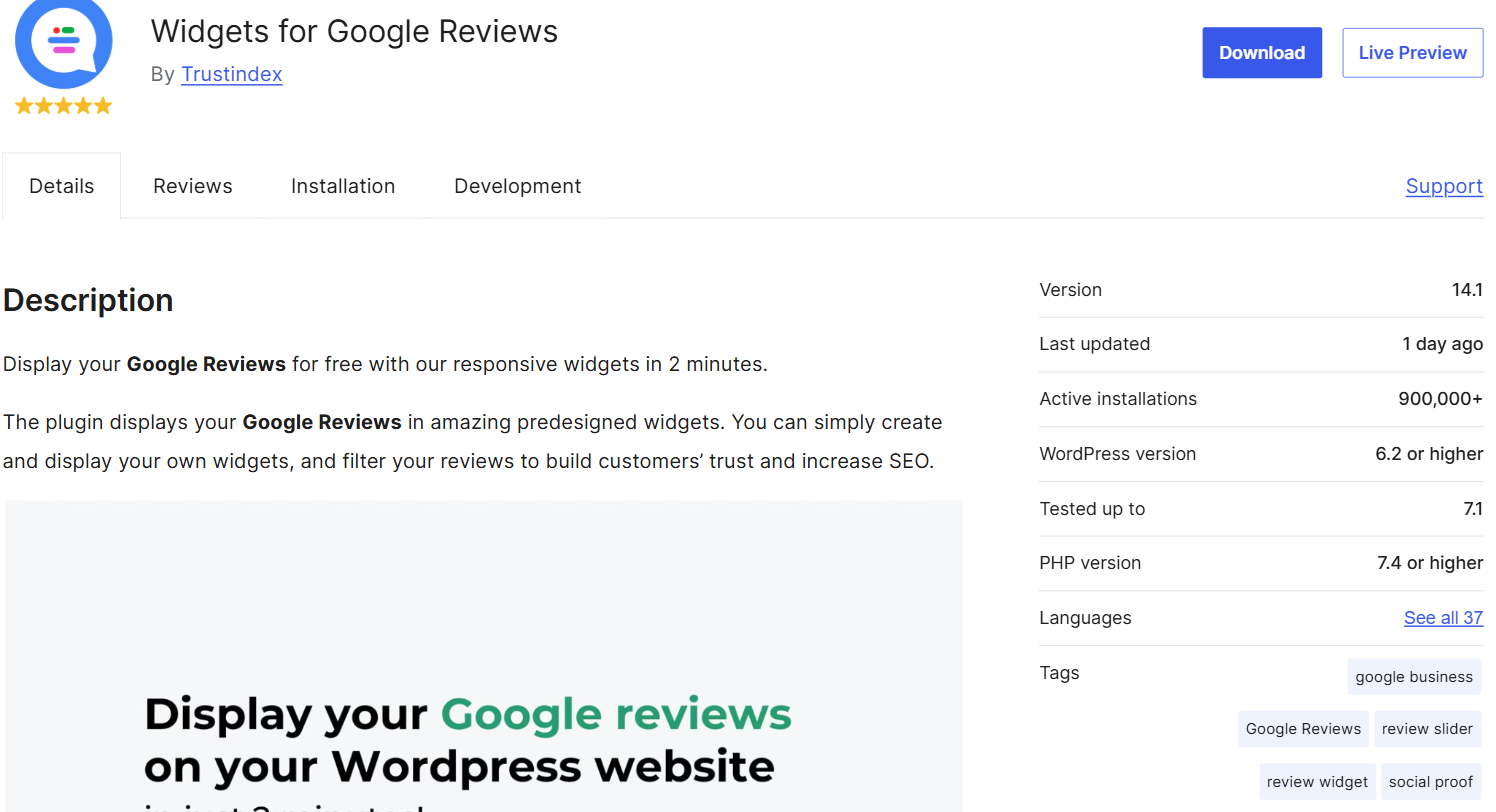
The directory is where to look, not a vendor's landing page. These are the listings that own the search today. Widgets for Google Reviews by Trustindex has about 900,000 active installations, as of September 2026, and 4.9 stars from 2,631 reviews. Rich Showcase for Google Reviews by richplugins has about 100,000, at 4.9 from 1,617. Reviews Feed has about 100,000 too, and covers Yelp as well as Google.
Read the free tier before you assume it does the first of those three. Rich Showcase's own FAQ is unusually straight about it: "you can connect and display up to 10 Google reviews without any API key", but without one "the initial 10 reviews are loaded once and remain static until you manually reconnect the place". A free plugin is often a snapshot with a settings screen, not a feed.
Site Kit is not a reviews plugin
Site Kit by Google is the official Google plugin and sits on more than five million sites, which is why people assume it handles reviews. It connects Search Console, Analytics, AdSense, PageSpeed Insights, Tag Manager, Google Ads and a couple of newer modules. Not one of them is Google Business Profile, and not one displays a review.
What a Google reviews plugin for WordPress costs you
The plugins that refresh on their own do it with a Google Cloud project and a Places API key, which means a billing account in your name and a key you now own. Rich Showcase is explicit: "an API key is only needed if you want reviews to update automatically". A vendor account instead of a key is the same dependency with someone else's billing attached.
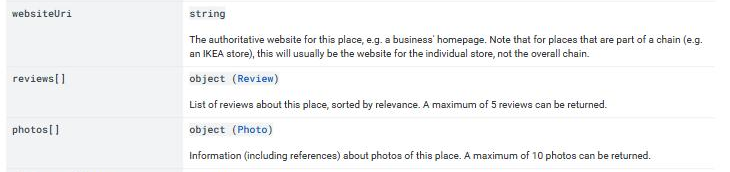
The number of reviews is another catch. Google's Places API reference states it plainly for the reviews field: "A maximum of 5 reviews can be returned." The older Place Details endpoint said the same thing in different words. So a plugin promising ten reviews or a hundred is not reading them all out of that field, and it is worth asking where the rest come from, because the Google Maps Platform terms restrict copying and storing user reviews. The parent guide on embedding Google reviews covers that ground in full.
Abandonment is the other risk. The directory prints Last updated and Tested up to on every listing for exactly this reason. A reviews plugin nobody has touched in two years is not a stable choice, it is a security liability sitting on your site so a layout looks tidy. Check those two fields on the day you install, not the star rating. And remember what you are installing: PHP that runs on every request, plus a stylesheet and a script.
How to add a Google reviews widget to WordPress without a plugin
-
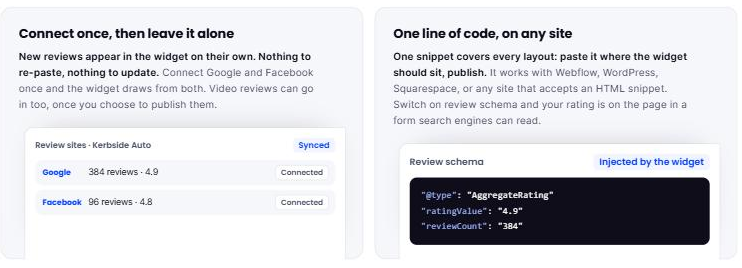
Build the widget first. In your review service, connect the Google location, choose a layout, set the theme, copy the snippet.
-
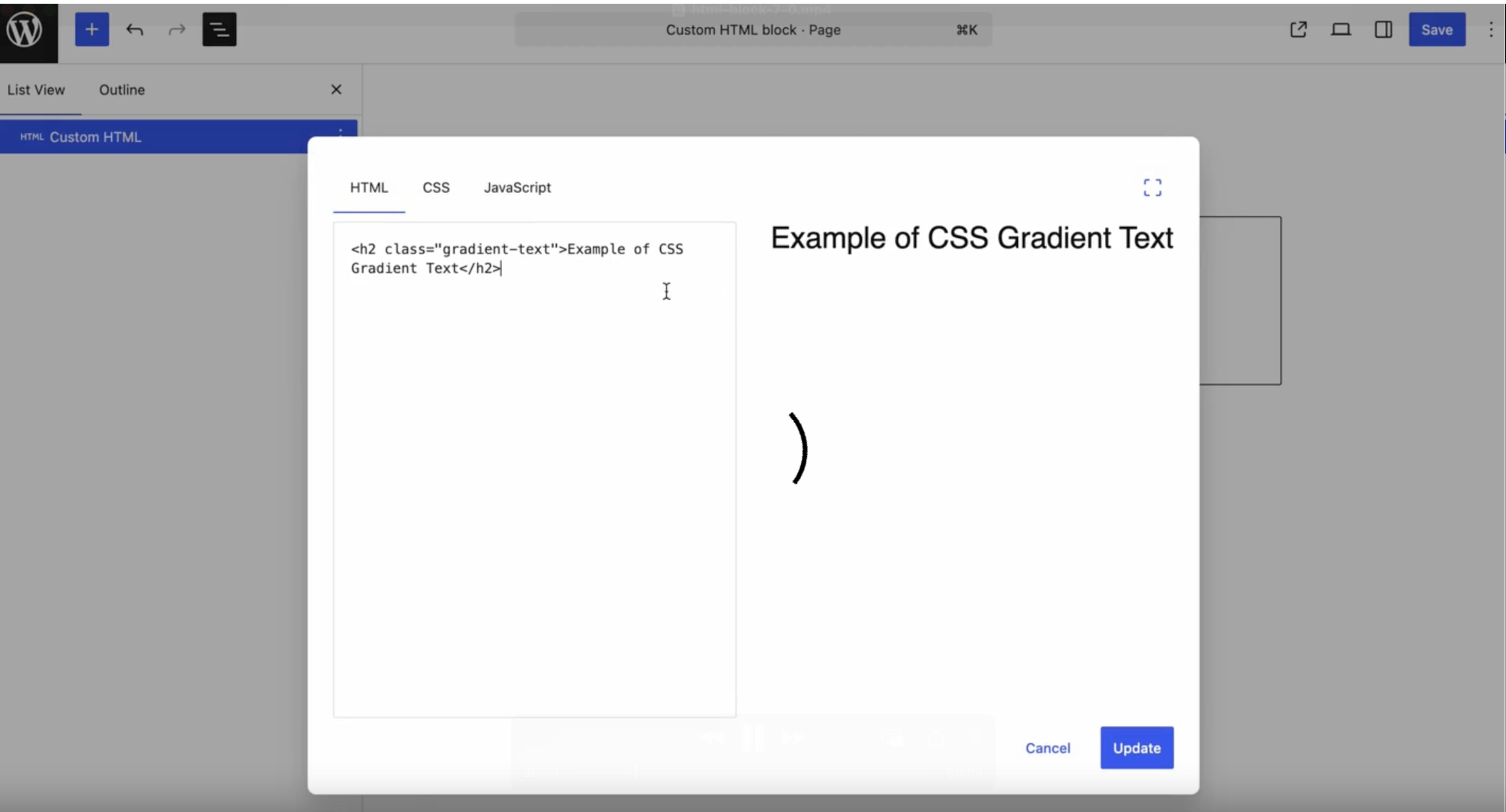
Open the page in the block editor and click the Block Inserter. WordPress documents a shortcut worth learning: "You can also type
/htmland hit enter in a new paragraph block to add one quickly." -
Click Edit HTML on the empty block and paste the snippet. It is normally one script tag with an id in it:
<script src="https://app.cloutly.com/add-widget-v2.js" data-widget="YOUR-WIDGET-ID" async></script>That one is ours. Cloutly connects a Google location, gives you nine layouts to choose from, and hands back one snippet that works on WordPress, Webflow, Squarespace or any site that accepts an HTML snippet; the layouts are on the review widgets page. Whatever service you use, keep the
asyncattribute, or the browser stops building your page while it fetches the widget. -
Press Update, then open the published page in a private window. The editor preview is not proof.
The unfiltered_html trap, and why it bites franchises
This is where people lose an afternoon, and WordPress never tells you it has happened.
The Custom HTML block documentation sets it out: "Starting in WordPress 7.0, the Custom HTML block introduces separate editing panels for HTML, CSS, and JavaScript. The CSS and JavaScript panels are only available to users with the unfiltered_html capability." Without it, "WordPress will sanitize the block's content using the function wp_kses(), stripping disallowed tags such as <script> and <iframe>". You paste, you press Update, the snippet is gone, and no message appears.
Who has the capability, per the roles and capabilities documentation:
| Role | Can paste a working script tag |
|---|---|
| Super Admin (Multisite) | Yes |
| Administrator | Yes on a single site. No on Multisite |
| Editor | Yes on a single site. No on Multisite |
| Author, Contributor, Subscriber | No |
The Multisite row catches multi-location businesses, in WordPress's own words: "In WordPress Multisite, only Super Admins have the unfiltered_html capability." If your locations run as sites on one network, a manager who is an Administrator of their own site cannot paste a review snippet into it.

The plugin route does not rescue them either. The same capability table marks install_plugins as "yes (single site)" for an Administrator and "yes" only for a Super Admin, so on a network a location manager can neither install the plugin nor paste the snippet. Whoever runs the network does both, for everyone. Sort that out before you send fifteen managers a snippet and a click path.
Block editor, classic editor and page builders
The block is not called the same thing everywhere, and on one of these the permission rule is different again.
Block editor. The Custom HTML block, as above.
Widget areas. Since WordPress 5.8 the block-based widgets editor has brought blocks to Appearance > Widgets, so a footer or sidebar takes the same Custom HTML block. If the Classic Widgets plugin is installed to turn that off, you are back to the Text widget, which WordPress describes as "used to enter HTML, JavaScript, or just plain text".
Elementor. Use the HTML widget, the one with the </> icon. Elementor's documentation says "Inside the HTML Widget you can embed HTML, CSS, Shortcodes, and also include JS scripts", then adds a gate of its own: "access to the widget is restricted to admins. This can be changed in the Role Manager." That is Elementor's rule, sitting on top of WordPress's.
WPBakery. Its built-in element list carries Raw HTML and, beside it, a separate Raw JS. A script-tag snippet belongs in Raw HTML.
Why your Google reviews widget is blank in WordPress
Check these in order.
Start with the block. Open it again, and if the code is gone rather than broken, it is the capability rule above.
Next, a caching plugin holding the JavaScript. This is the common one, and it looks exactly like a broken widget. WP Rocket's Delay JavaScript Execution setting delays "the loading of all JavaScript files and inline scripts until there is a user interaction". LiteSpeed Cache's Delayed mode says the same in its own words: it "doesn't run the JS until it detects user activity, like a key click or mouse pointer movement". So the block stays empty until the visitor moves the mouse, and empty in every screenshot and speed test. Both plugins let you exclude one script. Exclude the widget's rather than turning the setting off site-wide.
The third check is simpler: you are looking at a cached page, or at the editor. Purge after you paste, then open the live URL in a private window. Preview proves nothing about a third-party script.
Where the block goes on a WordPress site
Nobody hesitates in a homepage footer, so proof there is decoration. Put the block under the booking button on a service page, and on each location page show that location's reviews rather than a feed blended across every site.
Then keep it current, because a review block ages in public in a way a paragraph of copy does not. Coastline Physio, a fictional two-clinic practice, could paste four good reviews under the Book now button on each clinic page and never touch it again. A year later that block argues for the other side, because the newest date on it still reads 2025. Sending the Google review link after each appointment keeps the dates moving.
If a second site runs on another platform, the block and the limits change: there are separate walkthroughs for Wix and for Squarespace, where a code block needs a Core plan before JavaScript runs at all.
FAQ
Can I embed Google reviews in WordPress without a plugin?
Yes. A Custom HTML block takes the snippet, and that is the whole install. You need a service that holds the connection to your Google profile, and a role with the unfiltered_html capability.
Is there a free Google reviews widget for WordPress? Several, on the free tiers of directory plugins. Read what free means on each: it usually caps the reviews shown, keeps the vendor's badge on the block, and in at least one case stops updating until you reconnect the profile by hand.
Will a reviews plugin give me star ratings in Google? No. Google's review snippet documentation says that where the entity being reviewed controls the reviews about itself, its pages "are ineligible for star review feature", and the example it gives is an embedded third-party widget. Switching on your widget's review schema is still worth doing, because it puts the rating on the page in a form search engines can read. More on that in review schema markup.
Can I show only my five-star reviews? You can sort, and the FTC's questions and answers on its consumer reviews rule take the question directly: if your site orders reviews by rating with all the five-star ones on top, "the rule does not cover that situation". The same answer carries the sting: "organizing reviews in a way that makes it difficult for consumers to know about or find negative reviews could be an unfair or deceptive act or practice in violation of Section 5 of the FTC Act". None of this is legal advice. Filter by a rule you can say in one sentence, put that sentence near the block, and ask every customer rather than a screened few.